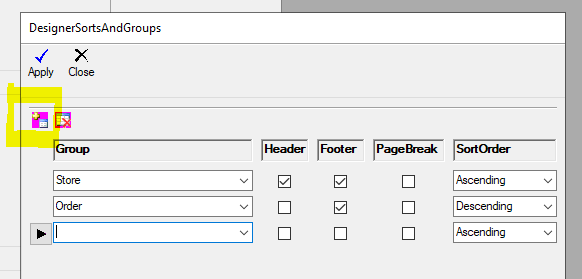
Use this option to pick a different sort by when viewing a report with a DESIGN option:
Click DESIGN > (HALF WAY DOWN) Sorts & Groupings > Then Sort with Any Number of Columns:

Customer Order # is the default if you don't use any sorting or grouping.
Use the red icon with the PLUS (+) symbol to add a new sort by column: