
Log into our YouTube channel at: https://www.youtube.com/channel/UCjvTYujY7d4TjLeTl0L8ZEg/
Once you log in, use the
- CONTENT button on the left side to see existing training videos
- CREATE button on the right side to upload a new training video

To keep the videos private for the users, we need to allow special permission by email address to the videos.
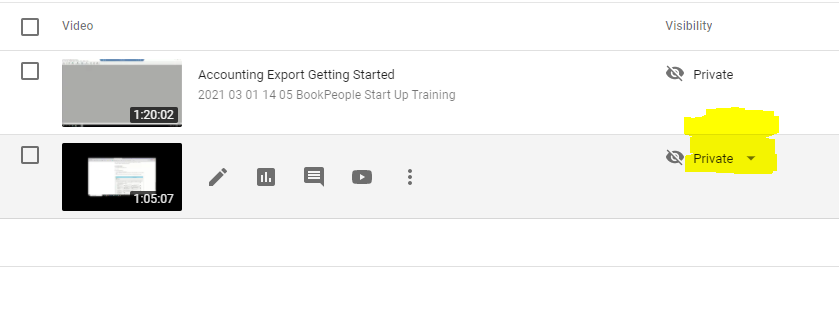
Mouse over the video you want to share, in the VISIBILITY column, click Private (DOWN ARROW).
Click SHARE PRIVATELY

Add email addresses to the INVITEES box, click the NOTIFY VIA EMAIL checkbox then click DONE.
