
If you ever run into an issue on the card reader app that you seemingly can't get out of.
Go to Settings > Apps (requires PIN)
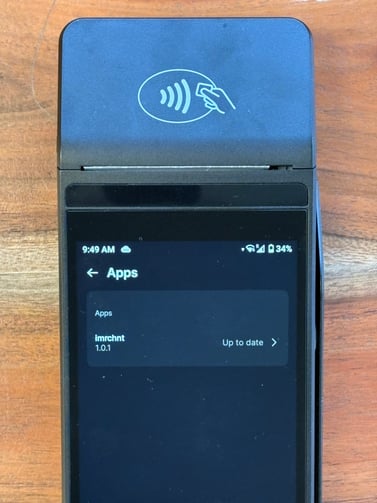
This screen will let you know if your reader settings are up to date or if there are new settings to update.
If everything is up to date and you're stuck in a loop in the app, or the app isn't responding how it should. You can clear cache, clear storage, force quit the app.
WARNING: If you are operating in offline mode and clear storage, this will wipe out your offline sales that we have stored on the reader.
Do not clear storage if you have not synched your offline sales.
Click on the arrow next to up to date in the screen above. And you will be given the options to Clear Cache, Clear Storage, Force Quit.
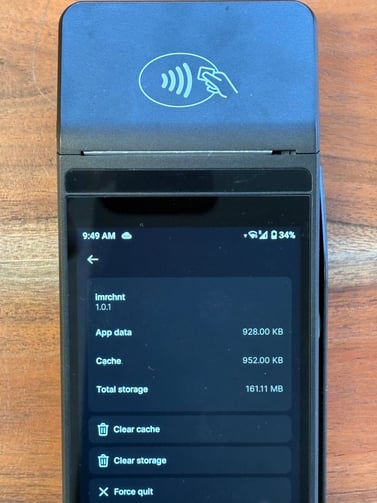
Generally a clear cache, clear storage and force quit will reset the app and get you back to operating as normal.