
If you are trying to set up 2FA for your own account.
Click on the section in the upper right with your name.

This will bring you into your own account information.
Enter your mobile phone number into the New Phone number field
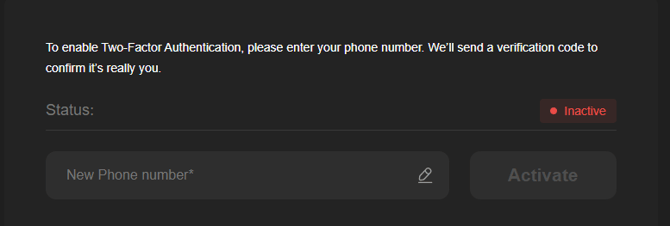
When entering a phone number you have to use the country code.
For US phones it would look like 1-603-555-5555
Once the number is entered click on the Activate button

You will see this prompt
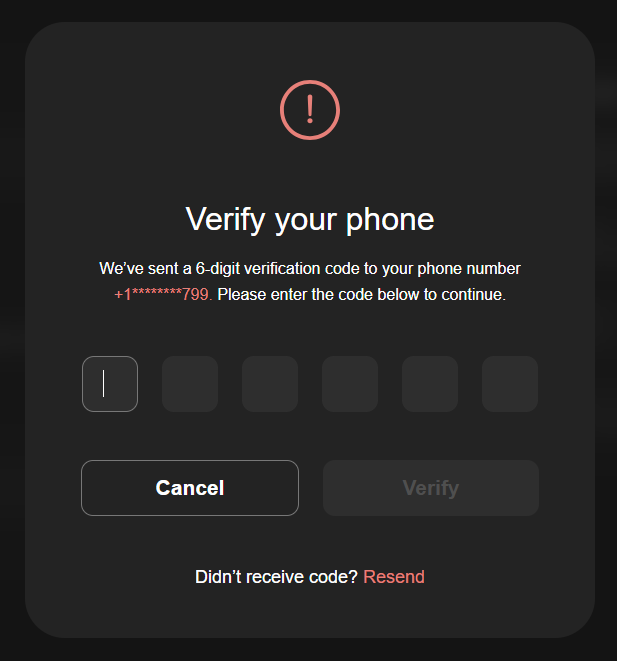
And the code will be sent in a text to your phone.
Enter in the Code, click Verify and 2FA is now active for your account.
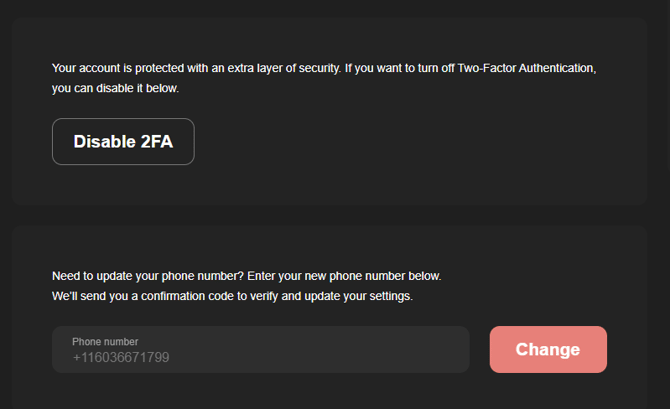
Once activate you will have the option to Disable or Change the phone number tied to your user account
In order to activate for other Admin and Managers go to Admin > Users and click on the admin or manager account you want to activate.
2FA is currently only available on Admin and Manager Accounts
Enabling 2FA will lockdown your ability to login, alter payouts, add/change bank accounts. In order to do any of these actions you will be prompted to enter the code sent to your mobile phone.